
 Scheduling
Time and Attendance Software That Clocks Staff In at the Door
Time and attendance software for multi-site hospitality. Staff clock in on their phone when they arrive on site and clock out when they leave. Approved hours go to payroll with a clear record.
350+ brands · 4,000+ locations
What time and attendance software changes at every site
- 1 tapTo clock in and outStaff clock in on their phone when they arrive. No paper sheet by the back door.
- 0 paperTimesheets to chaseClocked hours land against the planned shift, ready for a manager to check.
- 10+Rota systems you can keepFourth, Harri, Planday, Deputy, RotaCloud and more connect. Nothing to rip out.
From clock in to payroll, in one place
Staff time tracking a manager can check at a glance, and payroll can use without a spreadsheet in between.
-
01Clock in
One tap, on site
Staff get a reminder before the shift and clock in with one tap when they arrive on site. The hours start clean, the same way at every site.
- Clock in on site from their own phone
- The same way of working at every site
- A nudge when the shift ends and nobody clocked out
Staff app Your shift has ended Soho · 10:30 - 17:00 ✓Clocked in at Soho, 10:28✓Shift ended at 17:00!Not clocked out yet Clock outStill working -
02Review
Planned vs actual, side by side
Clocked hours land against the planned shift, per person and per site. Early starts, late finishes and missed clock-outs are easy to spot before anyone approves.
- Planned and clocked hours on one line
- Every site in one view
- Adjust any shift before you approve
Time tracking Soho · Mon 12/10 Planned 07:00 - 19:00 ✓Tom K. · in 06:55, out 15:10✓Priya S. · in 08:05, out 16:00!Emma T. · in 11:20, 20 min late ApproveAdjust -
03Approve
Signed off before payroll sees it
Managers adjust and approve the hours. Nothing reaches payroll until someone has signed it off, and every change is logged with who made it.
- Nothing unapproved goes to payroll
- Every change logged with who made it
Approval Week 46 · Soho 38 shifts ✓34 shifts approved✓3 shifts adjusted…1 shift to review Approve -
04Export
Ready for payroll, with a clear record
Approved hours go to payroll ready to use, with a clear record of every change and who made it. No retyping hours from paper.
- Only approved hours reach payroll
- A clear record behind every number
- No spreadsheet in between
Payroll export Week 46 · All sites ✓Hours approved✓Every site included✓Every change on record→Ready for payroll Send to payroll
Built for the floor and for head office
-
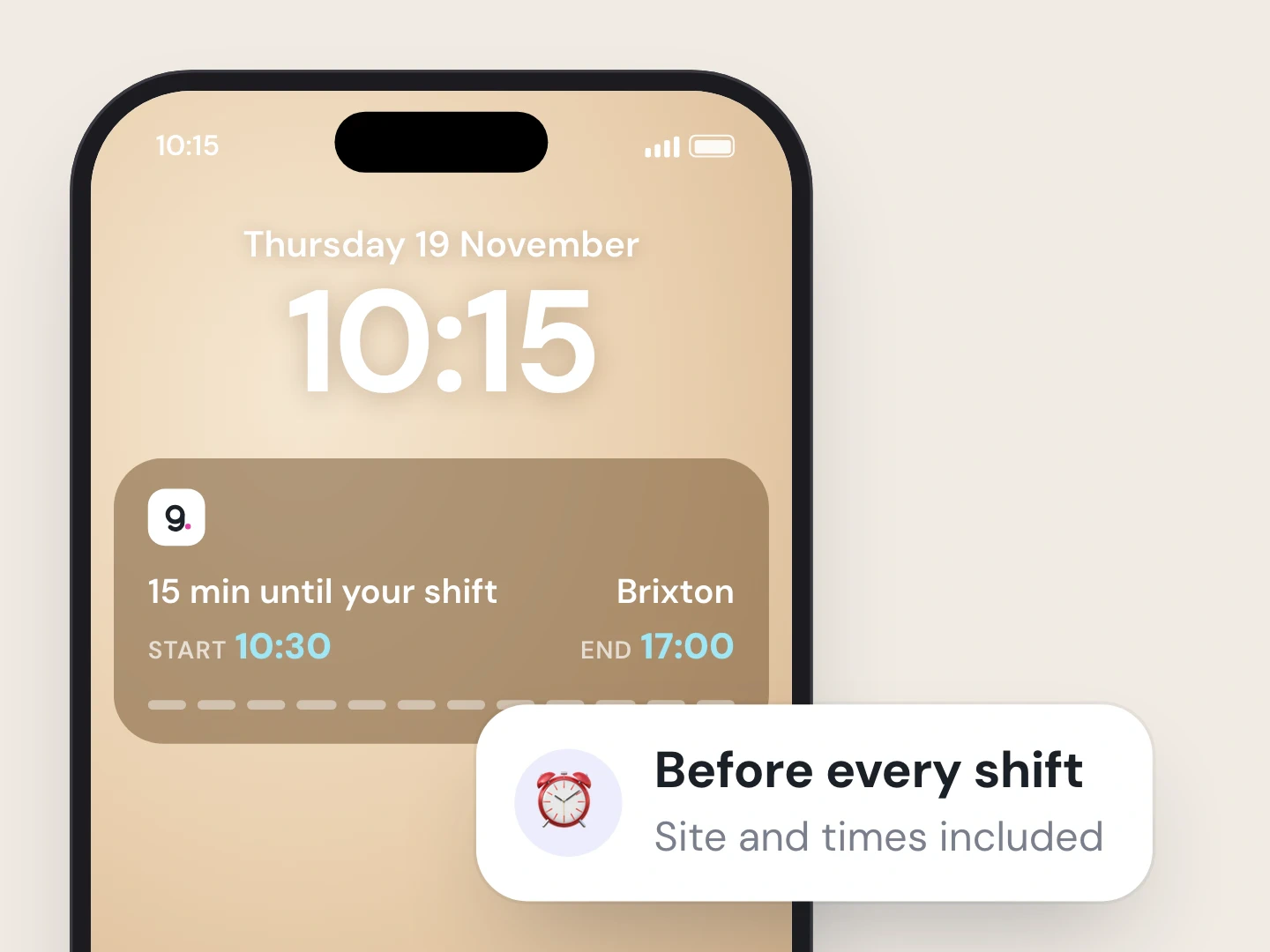
A heads-up before every shift
A reminder lands before the shift starts, with the site and the times.
-
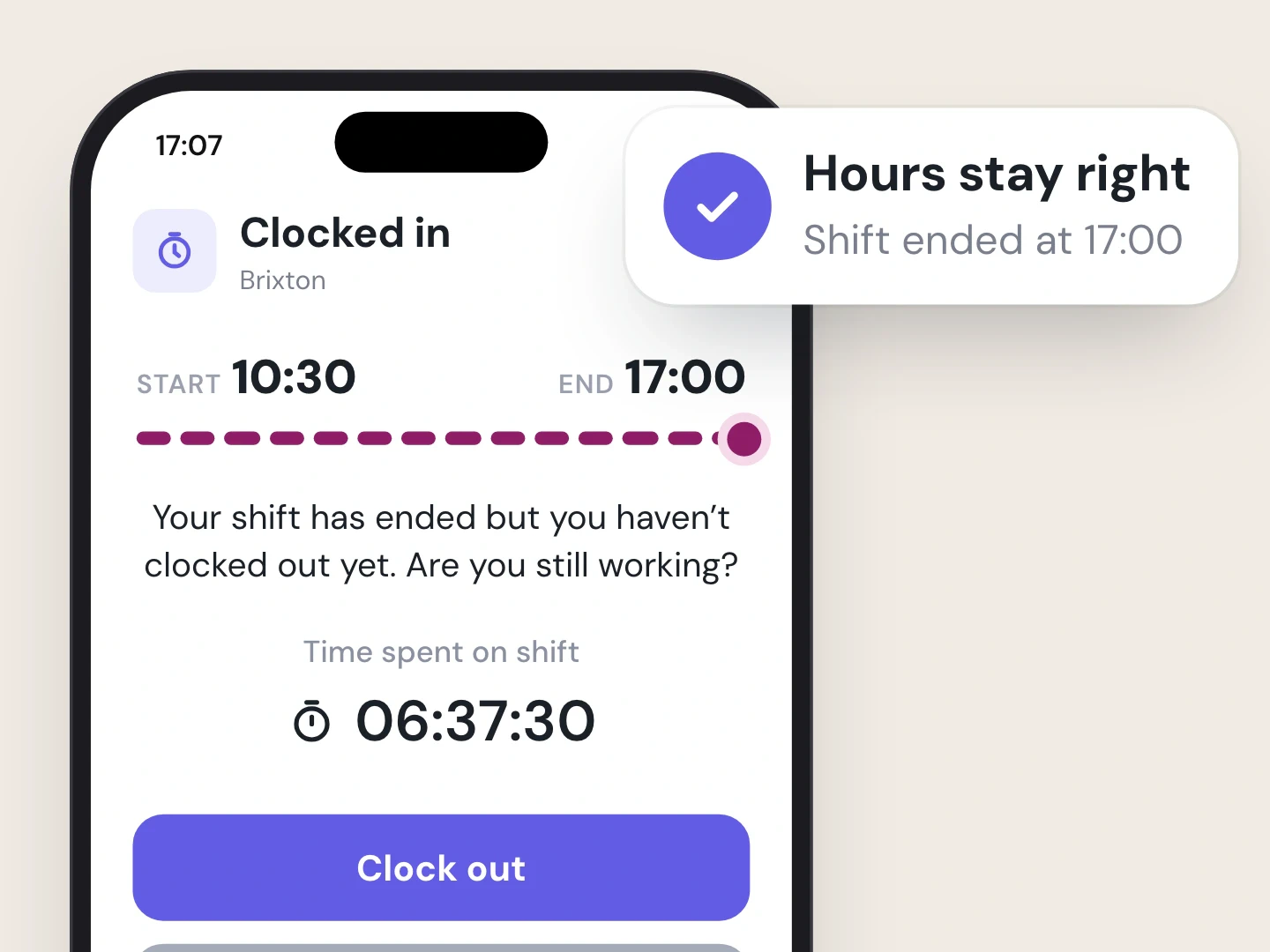
Shift over? The app asks
Forgot to clock out? The app asks if they’re still working, so the hours stay right.
- Change log Emma T. · Mon 12/10 ✓Clocked in 11:20 · Emma T.→Changed to 11:00 · Sam, GM✓Approved · Sam, GM
Every change, on record
Every edit to clocked hours is logged with who made it, so payroll and HR can see what happened.


- Clock in on site from the app
- Hours checked before payroll
- Works with your rota system
Part of Scheduling
Clock in from the app, on site
Staff clock in on their phone when they arrive on site and clock out when they leave. One tap each time, and the hours start clean.
Review and approve hours
Clocked hours land against the planned shift. Managers adjust and approve before anything reaches payroll.
Payroll export with a clear record
Approved hours go to payroll ready to use, with a record of every change and who made it.
Rules-checked rotas
Rotas are checked against working-time rules while you plan, so a breach shows up before you publish.
Keep the rota system you have
Connect Fourth, Harri, Planday, Rotaready, S4Labour, Deputy, RotaCloud, Sona, Kobas, Opsyte and more. Shifts flow into the app your team already opens.
Ask the AI Assistant to fill shifts
Tell the AI Assistant which shifts to fill. It finds people who can work them, and nothing is published until you approve.
How it works
- 1
Set up your sites
Add your locations and teams once.
- 2
Staff clock in on their phone
One tap at the start and end of the shift, on site.
- 3
Managers approve
Planned vs actual, adjusted and signed off.
- 4
Payroll gets the hours
Approved hours, with a clear record of every change.

Who it’s for
Ops Director
Hours for every site in one place, checked against the plan.
Area Manager
Approve hours for your sites without driving to each one.
HR Manager
Approved hours for payroll, with a record of every change and who made it.
Growing Multi-Site Owner
No paper timesheets to collect as you open site five, then ten.
Time and attendance, answered
What is time and attendance software?
It records when staff start and finish work and turns that into hours payroll can use. In All Gravy, staff clock in and out on their phone, the hours land against the planned shift, a manager approves them and they go to payroll. Comparing tools? Read our guide to employee attendance apps.
How does the clocking in app work on site?
Staff open the app when they arrive at the site and clock in with one tap. They get a reminder before the shift, and a nudge if the shift has ended and they haven’t clocked out, so the hours stay right.
Can managers fix hours before payroll?
Yes. Clocked hours sit next to the planned shift. Managers adjust and approve them, and every change is logged with who made it. Nothing reaches payroll until it’s approved.
What does payroll get?
Approved hours they can use straight away, with a clear record of every change and who made it. No retyping hours from a paper timesheet. Still on paper for now? Grab our free timesheet template.
Do we have to replace our rota system?
No. Connect Fourth, Harri, Planday, Rotaready, S4Labour, Deputy, RotaCloud, Sona, Kobas, Opsyte and more (see integrations). Or run the rota in All Gravy Scheduling, with rules checks, time off and labour cost in the planner, and an AI Assistant that fills shifts for your OK.
Is time and attendance part of Scheduling?
Yes. Time tracking is part of Scheduling, a new AI-powered evolution of our scheduling product, launching now. It sits in the same app as chat, training and handbooks. See pricing.

Clocked in, approved, paid. At every site.
Book a demo and watch a shift go from clock-in to payroll.
- 350+ hospitality brands
- 4,000+ locations
- 4.7 on G2
