
 Comms
The Employee News Feed Every Site Actually Reads
An employee news feed that feels like social media, in your own branded app. Target every post by site and role, pin what matters to the top, and see who has seen it at every location.
350+ brands · 4,000+ locations


What a company news feed looks like when people read it
- 2M+Feed views in year oneDishoom’s feed passed 2 million post views in its first year on All Gravy.
- 2,000+Posts by the teamsDishoom’s own teams wrote them, next to 360 from the central account.
- 90%Of posts readCompany-wide read rate at Honest Burgers, across 900+ restaurant staff.
One internal news feed, four jobs
The noticeboard in the staff room, the Monday email nobody opens and the party poster by the till. All of it goes in one feed, on every phone, at every site.
-
01For your teams
A For You feed that’s actually for them
Everyone gets one home feed that pulls together every feed they belong to: company news, their site, their team. The kitchen gets kitchen news, the bar gets bar news.
- Company, site and team feeds in one place
- Photos, videos and shout-outs in your branding
- Reactions, comments and @mentions
For You · Brixton 3 new posts →Head office · Summer menu goes live Monday✓Brixton · Shout-out to the Saturday closers✓Kitchen · New prep list for the grill -
02For head office
Broadcasts pinned to the top, for exactly who needs them
Pin a post, article or event to the top of the feed for the roles and locations that need it. The allergen change reaches every kitchen and stays where they can’t miss it.
- Target by role, by location or both
- Only the people you allow can post
- Pin posts, articles and events
Broadcast · pinned New allergen menu from Monday Kitchen teams · 14 sites ✓Pinned to the top of the feed✓Seen by 212 of 230…18 still to see it -
03For the comms calendar
Plan the week’s posts in one go
Write posts ahead and schedule them. Every scheduled post and broadcast sits in one content calendar, and you move one with a click when plans change.
- Schedule posts and broadcasts ahead
- Every scheduled post in one content calendar
- Reschedule with a click
Content calendar Next week ✓Mon 9:00 · Weekly specials, all sites✓Wed 15:00 · Broadcast: summer menu→Fri 11:00 · Shout-outs from every site -
04Off the screen
Events with RSVPs, reminders and a headcount
Post the summer party, a tasting or a training session in the feed. Staff RSVP from the post, reminders go out before, and past events show how many came.
- RSVP straight from the post
- Reminders before the day
- See how many came
Event Summer team party Thursday 19:00 · Shoreditch ✓34 going→Reminder goes out the day before GoingCan’t make it
Know it landed. At every site.
-
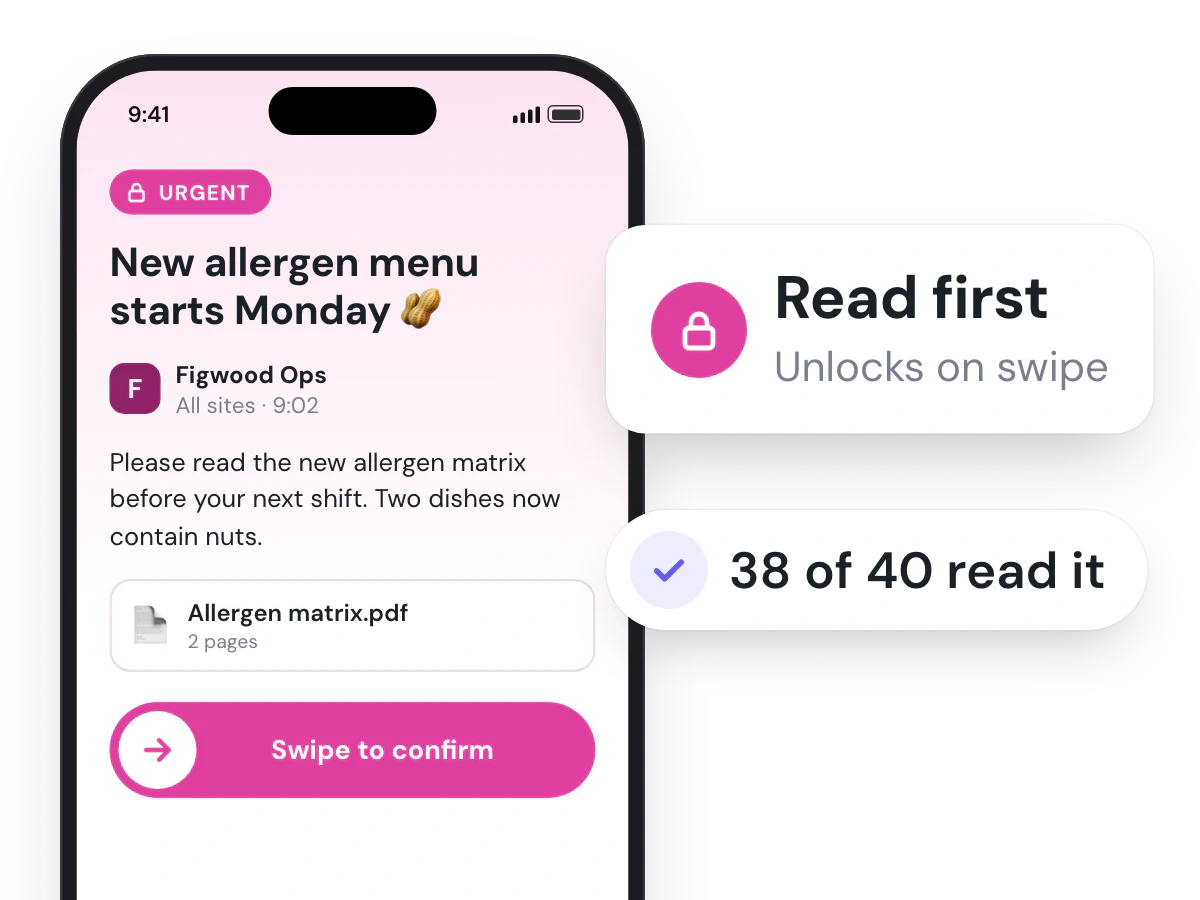
Urgent when it has to be
Urgent posts get through muted feeds, and staff swipe to confirm they’ve read them.
- Seen by Summer menu Kitchen teams · all sites ✓Kingston · 26 of 26…Brixton · 19 of 22✓Leeds · 20 of 20
See who has seen it
Every post shows who has seen it, on the app and the web.
- Notification settings Company news ✓Default set by head office✓Staff tune the rest themselves→Urgent posts always get through
Notifications without the noise
Set a default and a floor for every feed. Staff tune the rest.

Every message lands only where it matters
Pick the sites and the roles. The kitchen gets kitchen news, the bar gets bar news, and nobody else gets pinged.

How it works
- 1
Set up your feeds
Group-wide, per site or per team. Staff land in the right ones by role and location.
- 2
Choose who can post
Head office, site managers or the team itself. You decide per feed.
- 3
Post, schedule or pin
Post now or plan the week. Pin what matters, and mark it urgent when it has to be read.
- 4
See who has seen it
Check every post, site by site, and follow up where it hasn’t landed.

Who it’s for
Head of People
Company news that reaches the kitchen porter, not just the managers.
Ops Director
Proof every site saw the change, post by post.
Area Manager
One post to all your sites, instead of a round of calls on Monday.
Growing Multi-Site Owner
Keep every new site close to the brand as you open site ten.
Questions, answered
What is an employee news feed?
A social-style stream of company news on every employee’s phone: updates from head office, their site and their team in one place. In All Gravy it lives in your own branded app, and every post can be targeted by role and location.
How is the feed different from team chat?
Chat is for conversations. The feed is for news that has to reach a lot of people and stay easy to find: announcements, shout-outs and events. Both sit in the same app: see team chat, or the full staff communication app.
Can it replace the staff noticeboard?
Yes. Menu changes, rota reminders and party posters go in the feed instead of on the wall in the staff room, on every phone at every site. Unlike paper, you can see who has seen each post.
Can we make sure critical updates are read?
Yes. Mark a post as urgent: it gets through even when a feed is muted, and staff swipe to confirm they’ve read it. See urgent messages.
Can we plan company announcements ahead?
Yes. Schedule posts and broadcasts, and see them all in one content calendar. Dishoom’s comms team plans a week of content in one go.
What should we post to keep people reading?
Local beats corporate. The Hospitality Retention Benchmark 2026 recommends treating the feed like an internal newspaper: posts about a site’s wins, hires and celebrations get more engagement than head office updates. A realistic target is three posts a week per site.

News that lands at every site.
Show us your last head office announcement. We’ll show you who would have seen it.
- 350+ hospitality brands
- 4,000+ locations
